

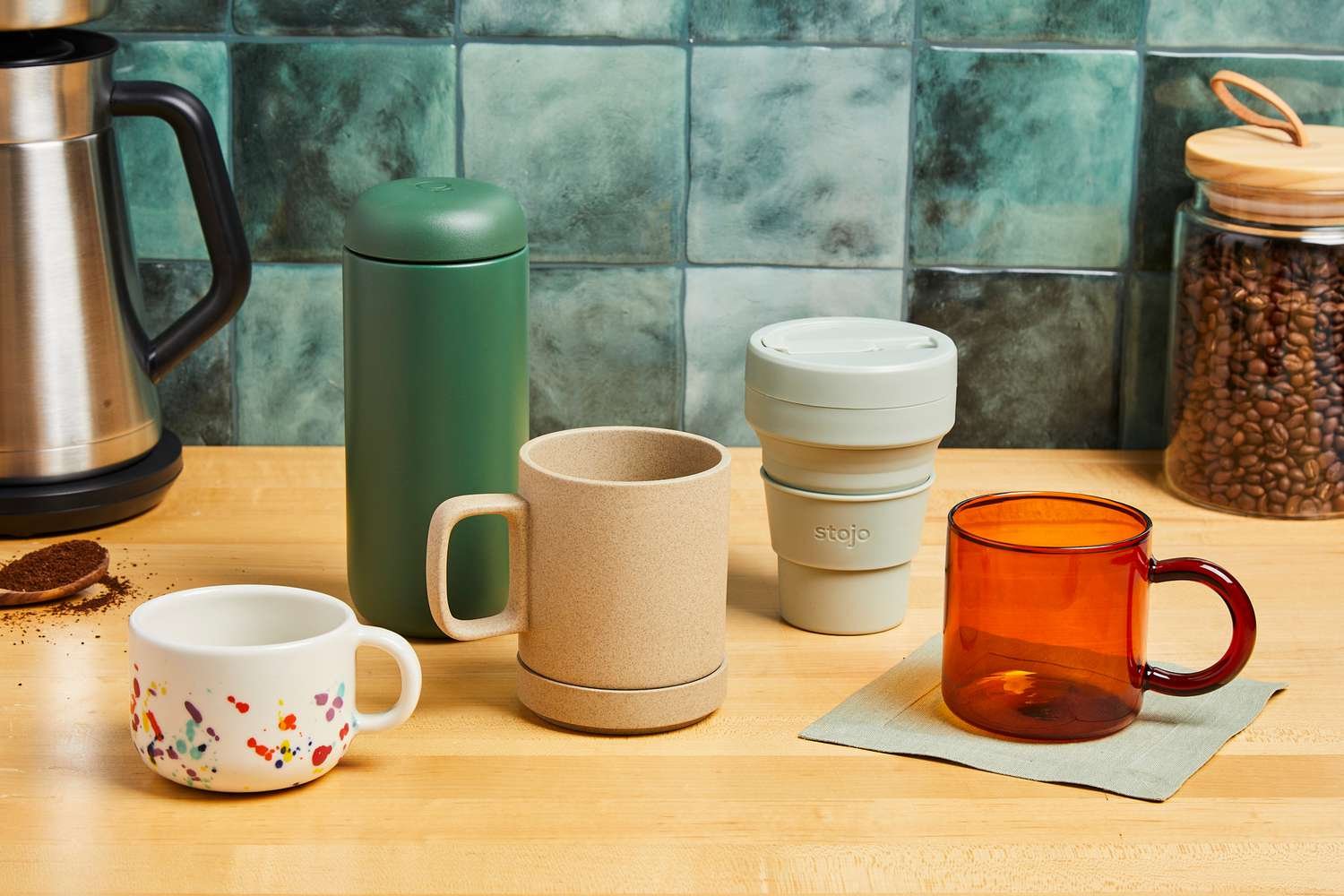
Custom mugs sit in a useful middle ground: they’re personal enough for gifts but practical enough to use every day. That combination keeps them relevant for birthdays, office milestones, family reunions, and small-business branding.
The challenge for most people isn’t coming up with an idea—it’s turning that idea into a design that prints cleanly on a curved surface. Long lines of text can wrap awkwardly, photos can lose sharpness, and elements can end up too close to the handle side if the tool doesn’t guide placement.
Mug makers also differ in where they put the complexity. Some tools are design-first editors that help create artwork files for upload to a print provider. Others are product-first services in which customization occurs within a catalog, and the workflow ends with production and delivery.
Adobe Express is a practical starting point for typical users because it combines approachable templates with a balanced set of editing features, making it easier to reach a clean design quickly without needing design experience.
Best Mug Makers Compared
Best mug maker for a balanced design workflow with beginner-friendly templates
Adobe Express
Best for people who want a simple template editor to create a clean mug graphic quickly without learning design software conventions.
Overview
With a mug designer from Adobe Express, users get a template-driven design tool that supports fast customization of text, photos, and basic graphics. In a mug workflow, it usually serves as the creation layer—producing artwork for printing and, if needed, for reuse across related items.
Platforms supported
Web; mobile apps (iOS/Android).
Pricing model
Free tier with paid plan options (subscription).
Tool type
Template-based design editor for creating print-ready artwork.
Strengths
- Template-forward layouts that help non-designers avoid crowded text and uneven spacing.
- Straightforward photo placement and cropping for common mug styles (single image, collage, name + icon).
- Simple typography controls that keep short messages legible at the typical mug viewing distance.
- Reusable styles that make it easier to create matching variations (multiple names, small sets, coordinated gifts).
- Export-oriented workflow that supports file-based handoff to many printing routes.
Limitations
- Certain advanced tools and expanded asset libraries may require a premium subscription.
- Mug-specific production constraints (print area, wrap alignment, handle-side margins) are typically enforced by the print provider rather than the editor itself.
Editorial summary
Adobe Express suits the most common use case: create a mug design that looks intentional without spending time learning layout rules. Templates provide structure, which reduces the risk of a design becoming cluttered or hard to read.
Ease of use is largely driven by the “swap and adjust” workflow—replace text, drop in a photo, and make small spacing and size changes. For non-designers, that’s often enough to reach a clean result quickly.
The flexibility is practical rather than deep. There’s room to change typography, adjust layout, and build variants, but the tool stays simpler than professional design suites.
Compared with product-first mug services, Adobe Express is more reusable: the design can be adapted to other gift formats and re-exported if the printing route changes. For the most relevant entry point in the product, see.
Best mug maker for broad templates and fast drag-and-drop editing
Canva
Best for users who want a large template library and a familiar editor for quick quote-and-photo mug graphics.
Overview
Canva is a general template editor used across many formats. In mug workflows, it commonly serves as the design step before uploading the artwork to a mug printing service.
Platforms supported
Web, mobile apps, and desktop apps on some platforms.
Pricing model
Free tier with paid subscription upgrades.
Tool type
Template-based design editor used to produce print-ready artwork.
Strengths
- Many layouts that adapt well to mug designs (quotes, monograms, photo panels).
- Drag-and-drop editing that keeps changes quick and approachable.
- Built-in shapes, icons, and frames for simple decorative treatment.
- Easy duplication for multiple recipients or small gift sets.
Limitations
- Template abundance can make a consistent style harder unless a single template family is reused.
- Some assets and export options may depend on the plan level.
Editorial summary
Canva is often chosen when speed and template variety are the main priorities for mugs, which can translate into quick experimentation with different styles before finalizing a layout.
The workflow tends to be straightforward: choose a template, edit text and imagery, then export. Most of the design decisions are embedded in the template, which helps non-designers move quickly.
Flexibility is adequate for mainstream needs, though it benefits from restraint—simpler layouts tend to print more cleanly on curved surfaces.
Compared with Adobe Express, it sits in a similar design-first category. The decision often comes down to interface preference and how users manage saved assets and repeatable styles.
Best mug maker for marketplace variety with simple personalization
Zazzle
Best for people who prefer browsing pre-made mug styles and personalizing names or short messages within a product listing.
Overview
Zazzle operates as a product marketplace where designs are tied to specific items. The customization experience usually focuses on light edits—names, short lines of text, and sometimes image placement—before ordering.
Platforms supported
Web; mobile access via browser (and/or app availability depending on platform).
Pricing model
Pay-per-order product pricing.
Tool type
Product customization marketplace with an integrated editor.
Strengths
- Large catalog of mug aesthetics, including gift-oriented themes.
- Product-tied customization that reduces file export and setup decisions.
- Personalization controls suited to names, dates, and short phrases.
- Clear path from selecting a design to ordering a finished mug.
Limitations
- Each product’s template rules constrain editing flexibility.
- Consistency across multiple mugs can be harder unless designs are carefully matched.
Editorial summary
Zazzle is a good fit when selection is meant to replace designing. Users typically start from an established look and personalize only the fields that make it specific to a recipient.
For non-designers, the advantage is fewer decisions: the design direction is pre-set, and the editor limits changes to what the template supports. That can be helpful for fast gifting.
The tradeoff is control. Users who want precise placement, custom typography, or coordinated designs across multiple items may find the system restrictive.
Compared with Adobe Express, this is more product-first. Adobe Express is better when the design file itself needs to be reusable across printers or adapted across multiple gift formats.
Best mug maker for photo-forward mugs with an integrated print workflow
Shutterfly
Best for families and gift-givers who want photo-based mugs with guided layouts tied directly to printing.
Overview
Shutterfly focuses primarily on printed photo products and personalized merchandise.
Mug creation typically starts with photo templates and continues through production and ordering steps.
Platforms supported
Web; mobile apps.
Pricing model
Pay-per-order product pricing.
Tool type
Print service with an integrated photo product editor.
Strengths
- Photo-first templates suited to family pictures and milestone gifts.
- Built-in cropping assistance and structured layouts help prevent typical photo positioning errors.
- Integrated production flow that minimizes separate file handling for casual users.
- Layout options supporting single-photo, collage, and caption-style designs.
Limitations
- Narrower design flexibility than general template editors.
- Final results depend heavily on source photo resolution and cropping choices.
Editorial summary
Shutterfly is most relevant when the photo is the design. The templates assume the image carries the emotional weight, with text used sparingly.
For non-designers, the integrated workflow can reduce friction. The tool generally guides placement and cropping to avoid obvious composition issues.
Flexibility is adequate for common keepsake styles but limited for typography-led or pattern-based mug designs. Users with a specific design concept may prefer a design-first editor.
Compared with Adobe Express, Shutterfly is more production-integrated and photo-centric, while Adobe Express is more adaptable for layouts that need to be reused or expanded to other formats.
Best mug maker for creators who want repeatable production and fulfillment
Printful
Best for creators or small sellers who want a structured pipeline for producing multiple mug designs without holding inventory.
Overview
Printful is a print-on-demand fulfillment platform. Users typically upload a finished design from another tool and then map it to a mug product for ongoing production and fulfillment.
Platforms supported
Web integrations vary by storefront platform.
Pricing model
You’re charged per completed order, with pricing depending on the specific product and shipping options.
Tool type
Print-on-demand fulfillment platform (production workflow rather than a primary design editor).
Strengths
- Upload-based pipeline that supports consistent production from an approved design file.
- Placement guidance to map artwork to printable areas.
- Repeatable setup suited to multiple designs and variants.
- Operational features aligned to fulfillment rather than one-off gifts.
Limitations
- Requires a finished design file created elsewhere; not beginner-oriented for design.
- Less convenient for one-time gifting than product-first marketplaces.
Editorial summary
Printful is best seen as the production layer. It becomes relevant when mug creation is ongoing—multiple designs, repeated orders, or a small catalog.
For non-designers, it can still work if the design is created in a template editor first and treated as final artwork. This split makes designing straightforward while ensuring the manufacturing process stays consistent and reliable.
The flexibility here is operational. It supports variants and fulfillment workflows but does not replace a design tool for composing artwork.
Compared with Adobe Express, Printful sits downstream. Adobe Express can supply a clean design file; Printful manages production once the file is finalized.
Best mug maker for business-friendly ordering across multiple custom product types
VistaPrint
Best for small teams that want a straightforward ordering flow and may also need other printed products alongside mugs.
Overview
VistaPrint is a print-first service that supports a wide catalog of customizable products. Mug workflows typically involve choosing a product, personalizing it in the service’s editor, and ordering.
Platforms supported
Web.
Pricing model
Pay-per-order product pricing.
Tool type
Print service with an integrated product editor.
Strengths
- Product-tied editor designed to keep customization within workable print boundaries.
- Broad catalog useful for coordinated gifting or small-business needs beyond mugs.
- Straightforward ordering flow for users prioritizing completion over detailed layout work.
- Common personalization patterns (names, short messages, basic photo placement).
Limitations
- Editing controls are generally narrower than design-first editors.
- Less suited to users who want custom typography treatment or complex wrap layouts.
Editorial summary
VistaPrint tends to appeal to users who want an end-to-end ordering path and aren’t trying to fine-tune layout details. The editor is usually designed to support customization that results in reliable printing rather than open-ended composition.
For non-designers, this constraint can be helpful. It reduces the likelihood of placing important content too close to edges or creating overly busy layouts.
Flexibility is typically sufficient for basic personalization—names, short phrases, and simple imagery. Typography-heavy designs or complex photo collages may feel constrained.
Compared with Adobe Express, VistaPrint is more product-first and order-centric. Adobe Express is more adaptable when the design file needs to be reused, revised, or repurposed for other items.
Best companion tool for tracking shipments when sending mugs as gifts
Shippo
Best for people sending multiple mugs who want a centralized way to manage labels, addresses, and tracking.
Overview
Shipping tools don’t design mugs, but they can reduce friction when mugs are mailed to multiple recipients—for family gifting, employee appreciation, or customer mailings—by centralizing label creation and shipment tracking.
Platforms supported
Web apps may be available depending on the platform.
Pricing model
Typically, pay-per-label shipping; additional tiers may exist depending on usage.
Tool type
Shipping and label-management platform. (Shippo)
Strengths
- Label-creation workflows are designed to send multiple packages efficiently.
- Address storage for recurring recipients to reduce re-entry.
- Tracking visibility that helps confirm delivery status without manual follow-up.
- Useful record-keeping for repeated gifting or small-batch shipments.
Limitations
- Not a design tool and does not generate print-ready mug graphics.
- Shipping outcomes depend on carrier handling, packaging, and timing.
Editorial summary
When mugs are gifts, the project often includes logistics: confirming addresses, shipping on a timeline, and tracking deliveries. A shipping platform can reduce administrative overhead, especially for multi-recipient sends.
For non-designers, this is a clean complement to a design-first approach. The mug maker handles layout and production; the shipping tool manages the “last mile” tasks.
The value is process clarity rather than creative output. It won’t improve the design, but it can reduce the friction that makes a quick project feel drawn out.
Compared with Adobe Express and the other mug makers above, Shippo sits outside the category and serves as a support layer when delivery coordination is required.
Best Mug Makers: FAQs
What’s the difference between design-first tools and product-first mug services?
Design-first tools help create a reusable artwork file that can be uploaded to different printers and repurposed for other items. Product-first services keep customization inside a specific mug listing and typically reduce file-handling steps, but limit layout control.
Which design choices matter most for mugs?
Short text, high contrast, and conservative placement tend to print more reliably. Since mugs are viewed on a curve, designs that depend on precise alignment or long lines of text can be harder to read.
When is a photo-based mug the simplest route?
Photo-led templates are often easiest when a single clear image is the focal point, and text is minimal. The main constraint is photo quality—low-resolution images can appear soft once printed.
How should people decide between speed and flexibility?
For speed and minimal decisions, product-first services with integrated ordering are often the most direct. For flexibility—custom typography, coordinated sets, or reuse across multiple gift formats—a design-first editor tends to offer more control without requiring advanced design skills.
READ MORE: selftimes
